Welcome, Adventurer!
No tables yet.
DnD for Kids
The printed table a seven-year-old can actually run
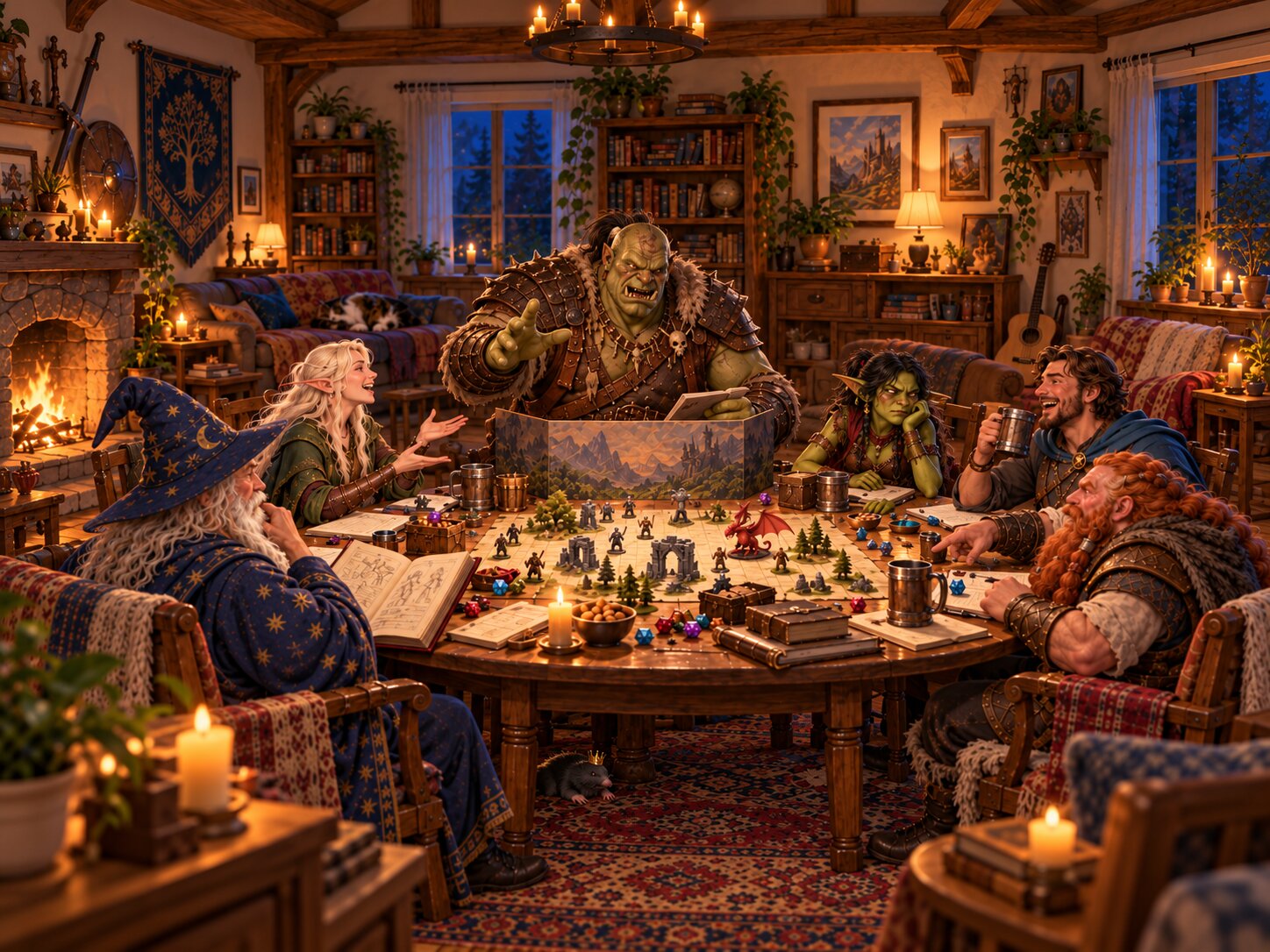
GrowlMaster is an online table for playing Dungeons & Dragons with kids ages 6 and up. Character sheets, a battle tracker, hand-drawn maps, a town shop and an AI dungeon master who helps you improvise when your eight-year-old asks the goblin on a date.
Why this exists
Your kid saw Dungeons & Dragons on a show, or a friend has a set, and now they want to play. So you open the Player's Handbook, find 300 pages of spell slots and attacks of opportunity, and quietly close it again.
GrowlMaster is the middle ground. Real DnD shape, real character sheets, real dice rolls, with everything a seven-year-old does not need taken out. You stay the Dungeon Master. The app does the bookkeeping.
DM tools built for a kids' table
Five DM tools, one screen. Everything a DnD session with kids actually needs, and nothing it does not.
Kid-friendly DnD character sheets
The sheet a kid fills in themselves
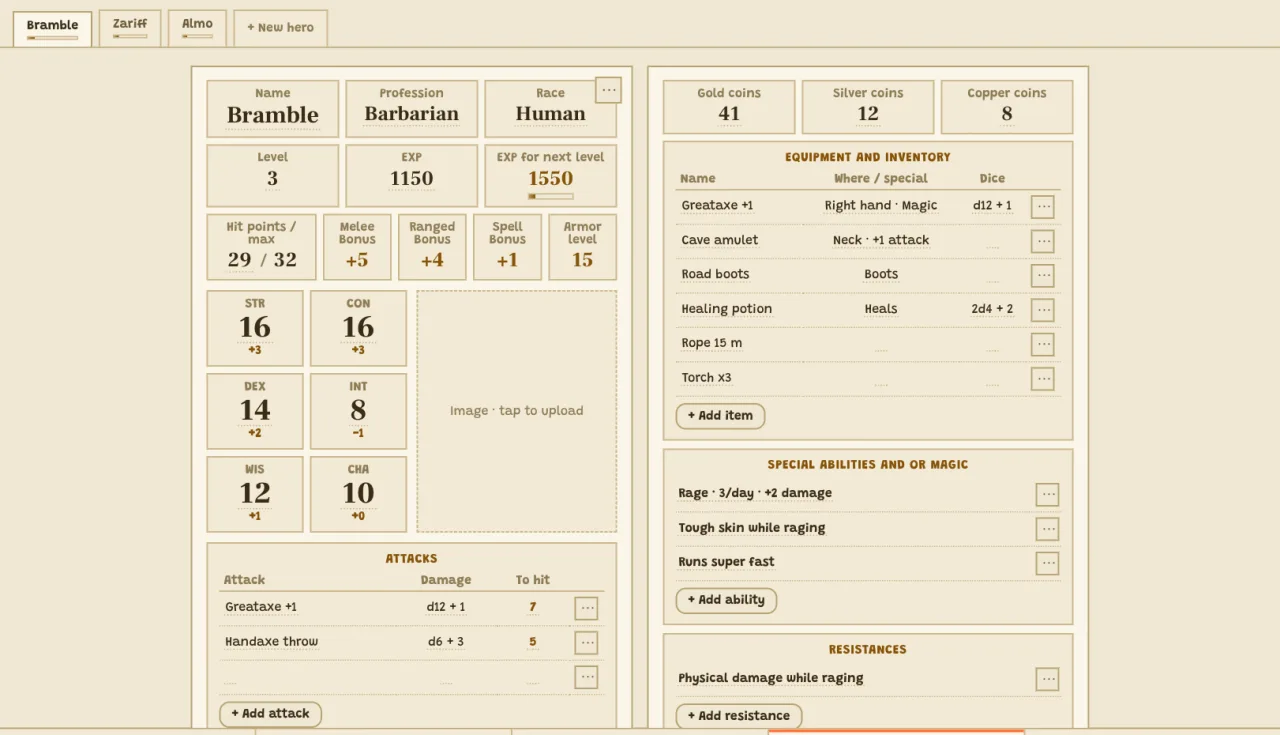
A simplified character sheet your kid can fill in themselves: name, race and profession, hit points, level, EXP, armor, attacks, inventory, special abilities and resistances. Add a drawing or a photo as the portrait. Tap the EXP bar to level up. Print the sheet for the fridge, or keep it on screen.
Battle tracker and monster generator
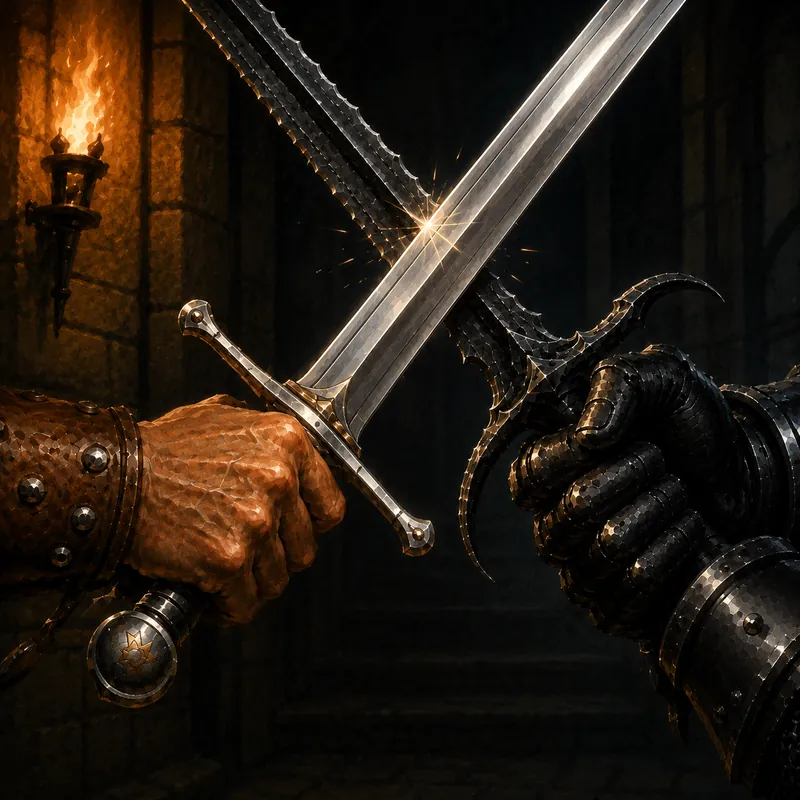
Describe the fight, get the monsters
Describe the fight in plain English ("three goblins in a cave and their hobgoblin boss") and get a full set of foes with HP, damage, to-hit, attacks, spells and abilities. Review and edit every monster before it joins the battle, then track their hit points as the fight goes on. Approved foes are archived so you can reuse them next session.
Write the campaign, or let it write itself
The story, and what actually happened
A writing space for your adventure with a running journal of what actually happened at the table. Select any passage and generate ideas: a new twist, a new place, a new choice for the party. Perfect for parents who want a DnD campaign for kids without spending a weekend prepping it.
Draw the dungeon on a grid
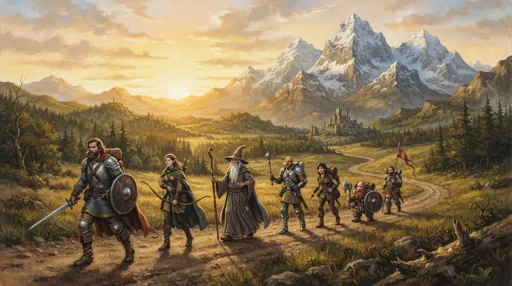
Draw the dungeon one square at a time
A blank grid map with a pencil, an eraser, undo, redo and zoom. Set the map size in squares. Draw the tavern, the forest path, the boss room, and point at where everyone is standing while you narrate.
A town shop with real coins
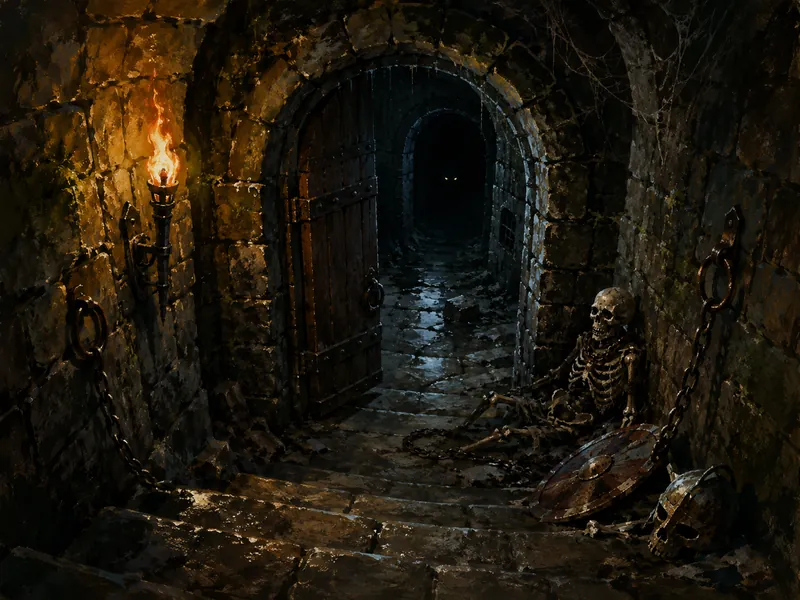
Where the gold actually goes
Weapons, armor, spells and misc, priced in gold, silver and copper. Kids pick a hero, browse the stock and buy. Their coins go down, the item lands in their inventory. This is where the shopping-and-counting half of the session lives.
The DM guide: every page of the table
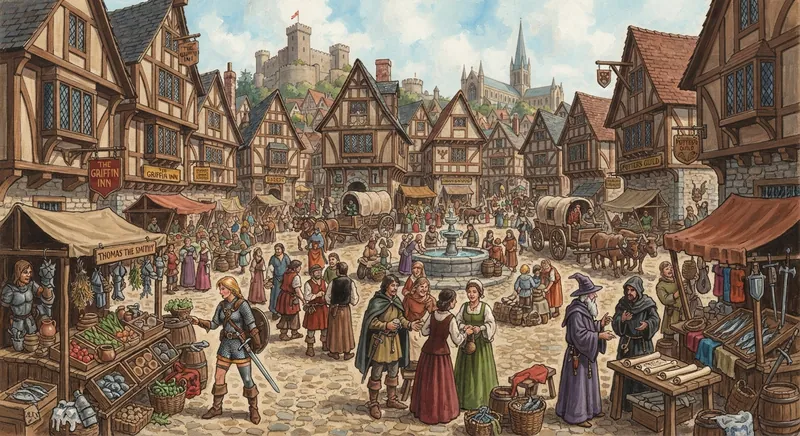
GrowlMaster is one screen with two sides. Adventure and Battle live on one side, and the things you look up (heroes, maps, places, the shop, the library) live on the other, so you can read your story and check a hero at the same time. Here is every page, what it is for, and where to press.
Adventure: your script for the session
A page for the story you plan to tell. Write it like a document, then keep it open while you play.
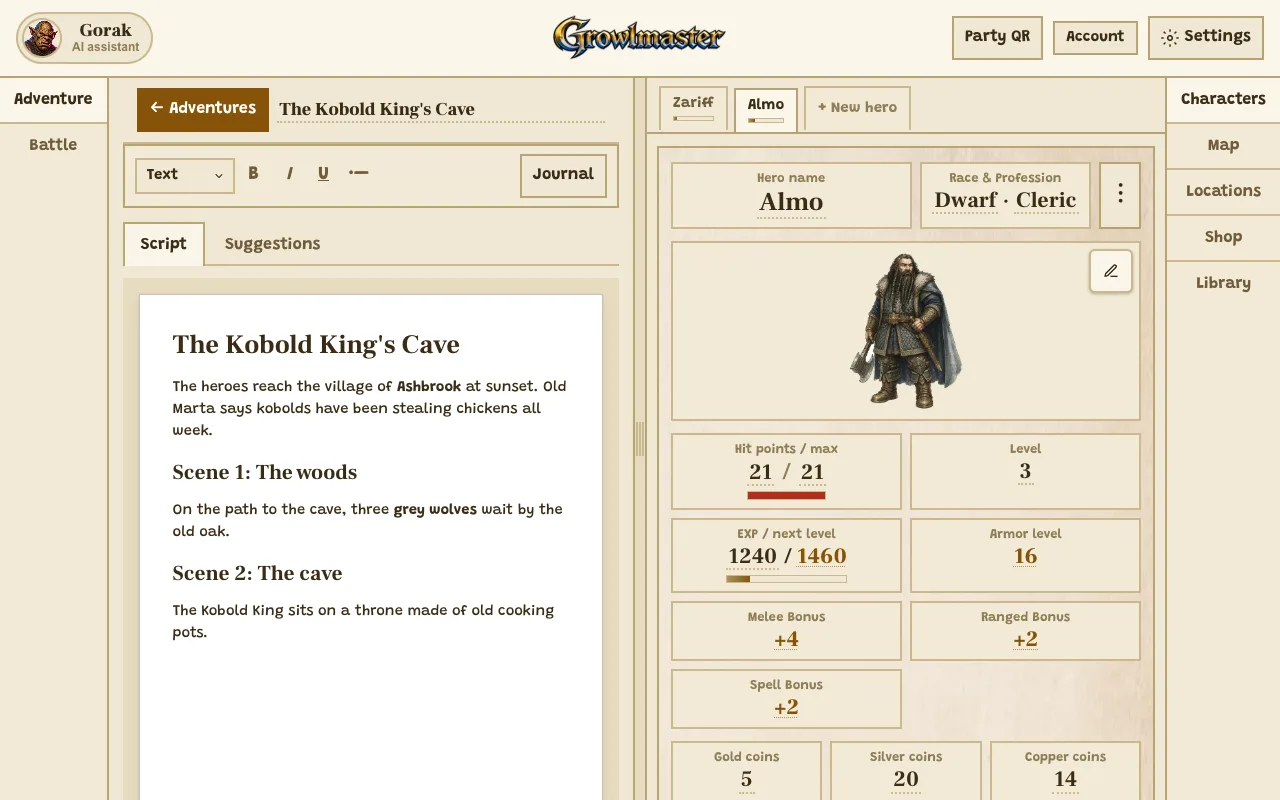
Where to press
- Suggestions: ideas for what happens next, ready to drop into the script.
- Journal: a running log of what the party actually did.
- Battle: switch this side to the battle board when the fight starts.
What you can do here
- Write scenes with headings, bold text and lists.
- Put your cursor anywhere, press Generate, and get ideas that fit that exact spot.
- Keep several adventures and switch between them from the Adventures list.
- Tap a name in the script to open that hero, foe or place on the other side.
Use it when
- You have ten minutes before the kids sit down and need a plan.
- The party wandered off your script and you need a new scene now.
- Next week you want to remember who still owes the innkeeper money.
Battle: the board everyone watches
A grid board with every hero, foe and object on it. Tap a piece to see its card and act.
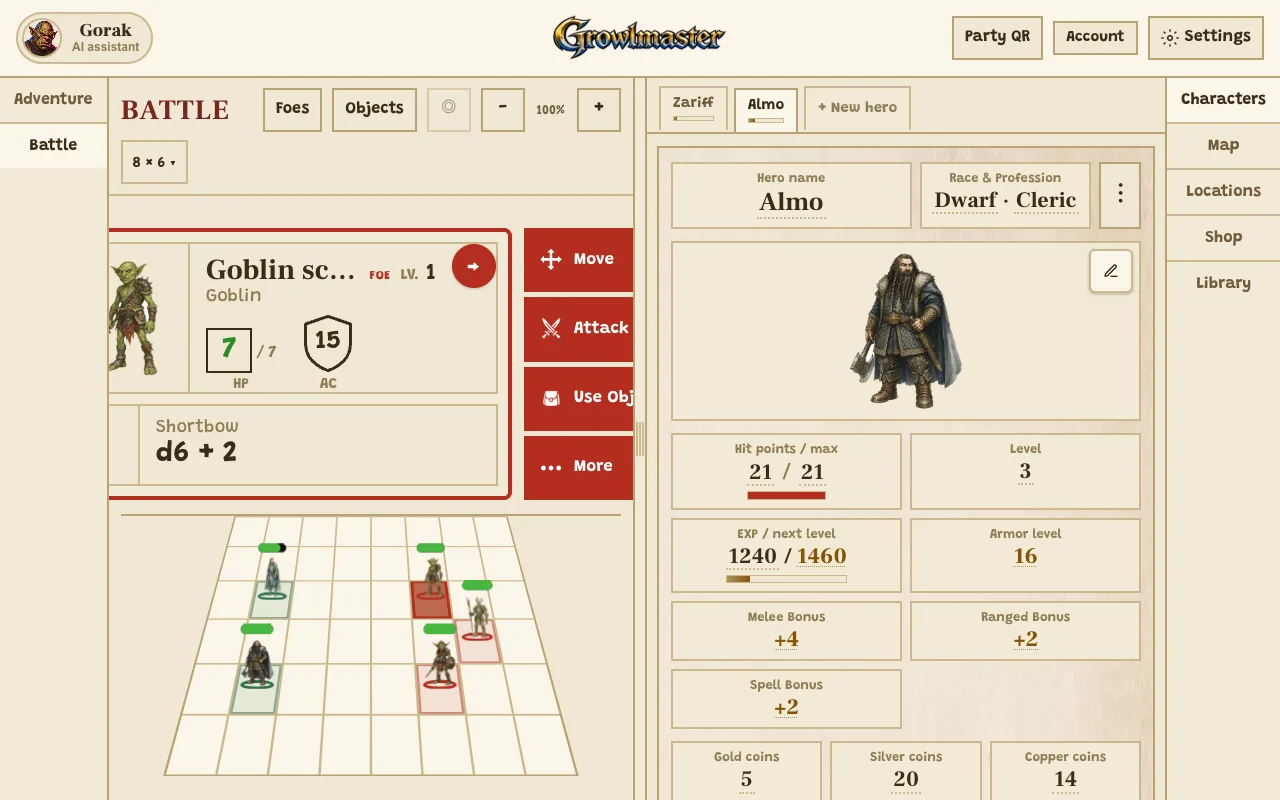
Where to press
- Foes: add monsters to the fight, from your library or new ones.
- Tap a piece to open its card: hit points, armor and its attack.
- Objects: add scenery like trees and campfires that stand on the board and can be hit.
What you can do here
- Move pieces, attack, and watch hit points drop on the card and the health bar.
- Change the board size and zoom in for a big table screen.
- Place objects, like an old oak the goblins hide behind.
- Show the same board on the players' phones with the Party code.
Use it when
- The wolves jump out and you need initiative and hit points without paper.
- A kid asks "can I hide behind the tree?" and you want the tree on the board.
Characters: one sheet per hero
A full character sheet for every kid at the table, with the maths done for them.
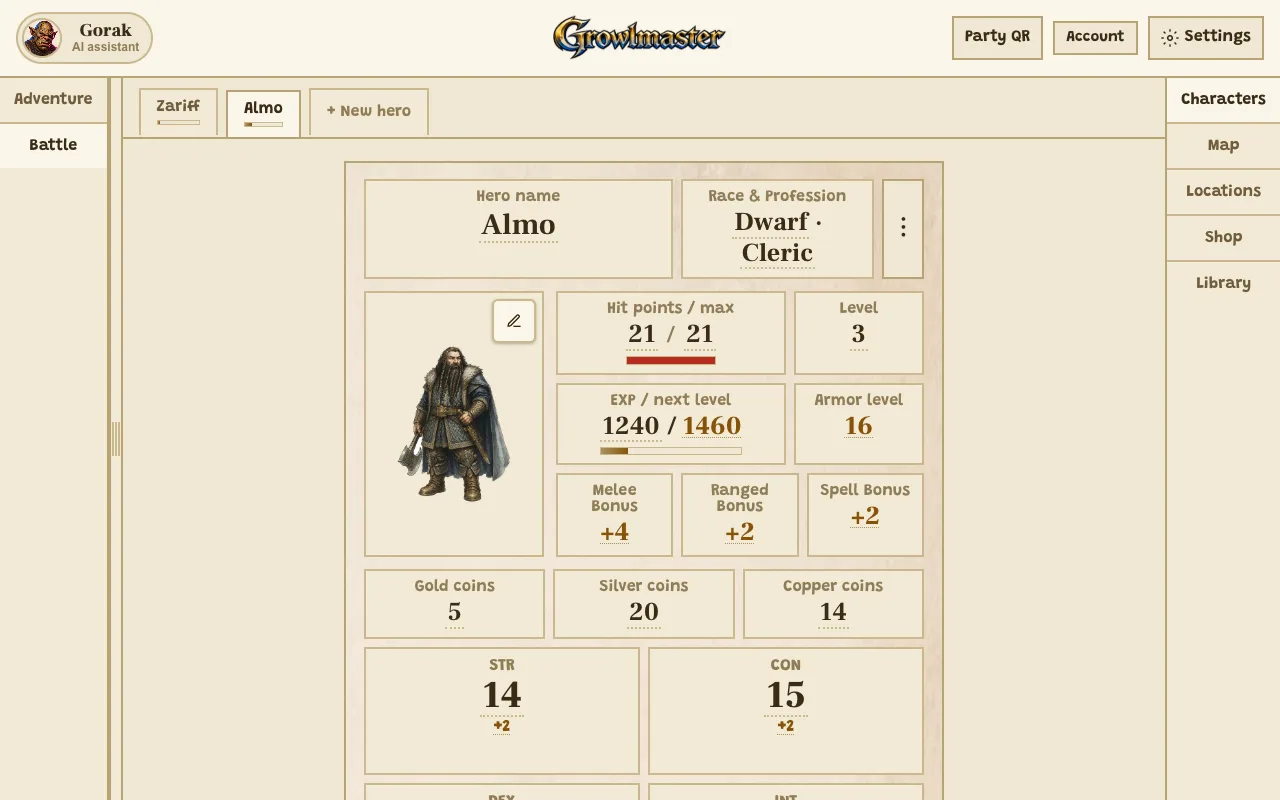
Where to press
- New hero: add a sheet for another player.
- The portrait: upload a drawing or generate a picture of the hero.
- Hero tabs: jump between the heroes at your table.
What you can do here
- Track hit points, level, EXP, armor, coins and the six ability scores.
- List attacks with their damage dice and to hit bonus.
- Keep inventory, special abilities, spells and resistances.
- Level up with one tap when the EXP bar fills.
Use it when
- A new kid joins halfway through and needs a hero in two minutes.
- Someone asks "how much gold do I have?" for the fifth time.
Map: draw it, paint it, pin it
A grid map you can draw on by hand, with a painted picture underneath if you want one.
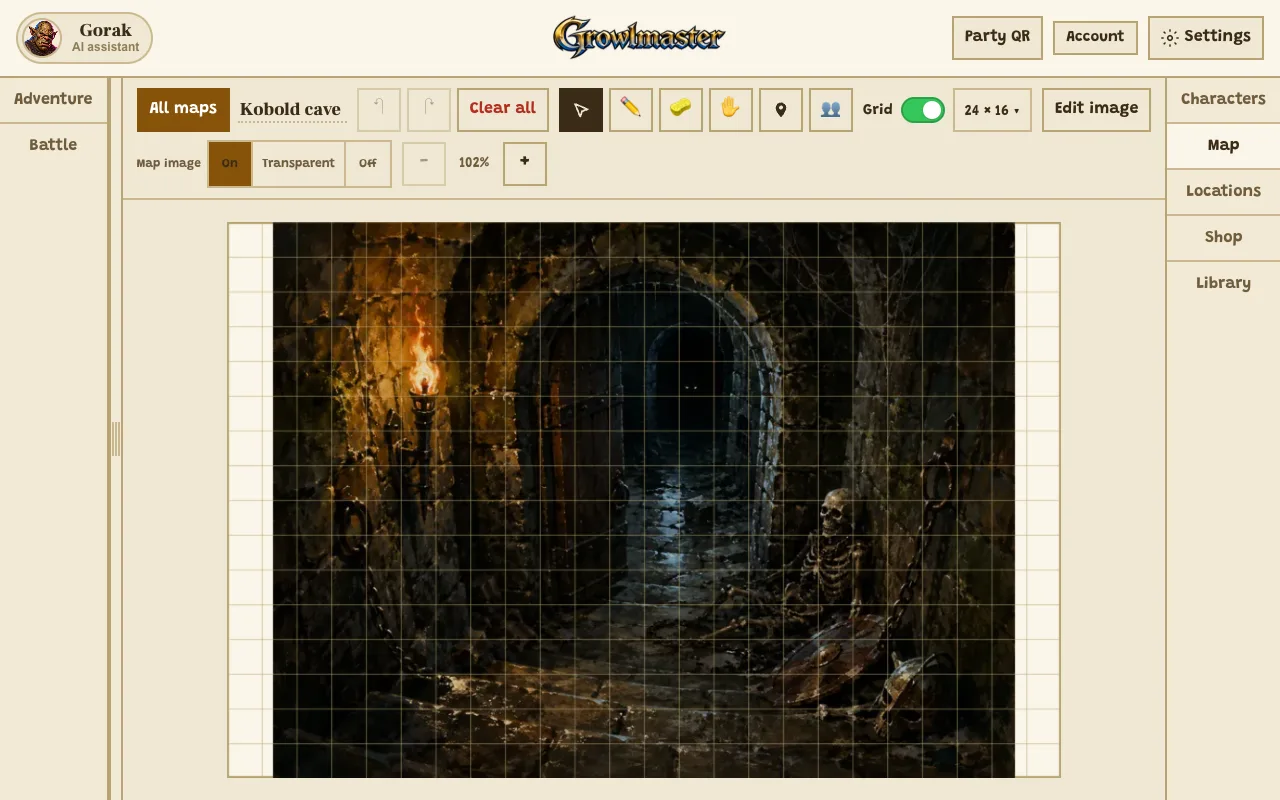
Where to press
- Pencil: draw walls, paths and rooms straight on the grid.
- Pin: mark a place on the map and link it to a location.
- Edit image: upload or generate the picture under the grid.
What you can do here
- Draw, erase and pan, with undo and redo.
- Turn the grid on or off and choose its size.
- Show the picture fully, faded, or not at all.
- Sketch a rough map and ask Gorak to turn it into a painted battle map.
Use it when
- You drew the dungeon on a napkin and want it on the screen.
- The party asks where the cave is compared to the village.
Locations: every place in your world
Cards for the towns, inns and caves the heroes can visit, each with a picture and what is inside.
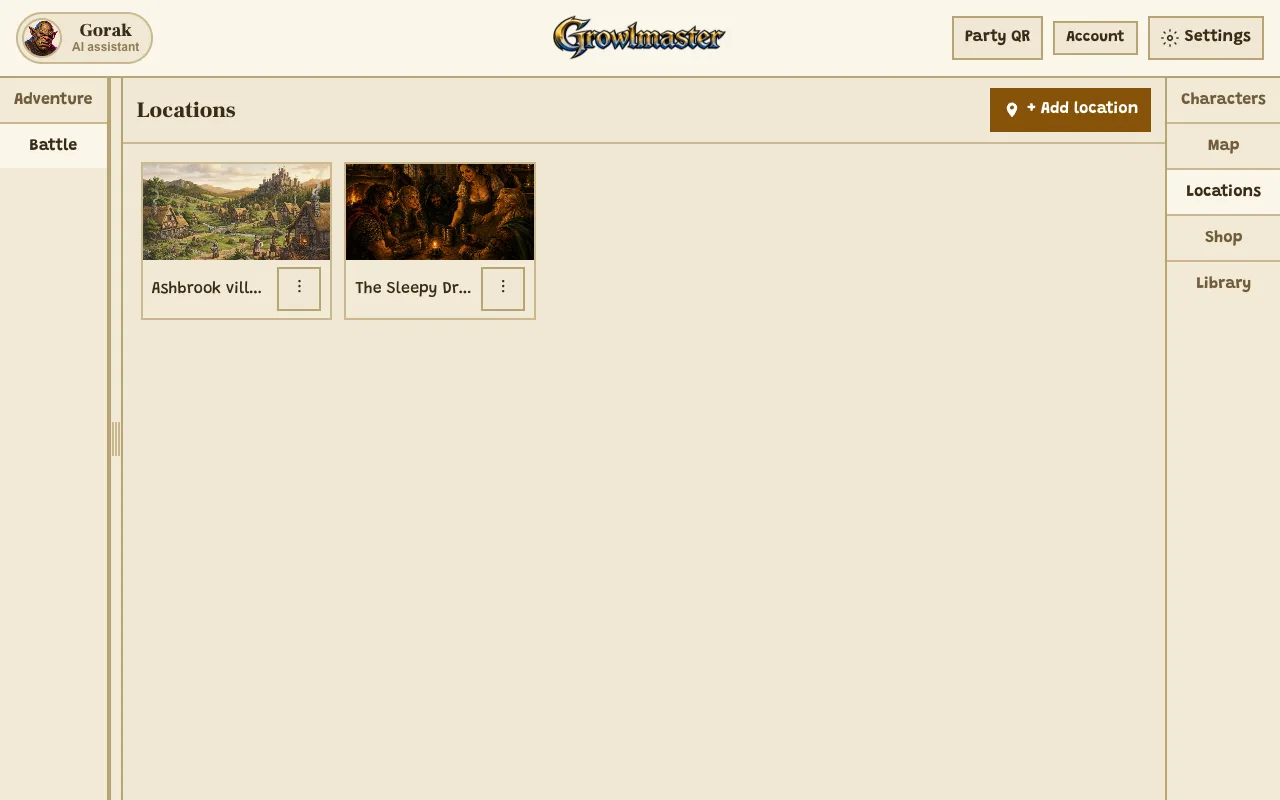
Where to press
- Add location: make a new place.
- Open a place to see its picture, description and who is there.
What you can do here
- Give each place a picture, a short description and a list of people and things inside.
- Pin a place on a map so it is easy to find again.
Use it when
- The heroes walk into a village you have not named yet.
- You want the innkeeper's name ready before someone asks.
Shop: where the gold gets spent
A town shop with shelves the heroes can buy from, sorted into tabs like weapons, armor and potions.
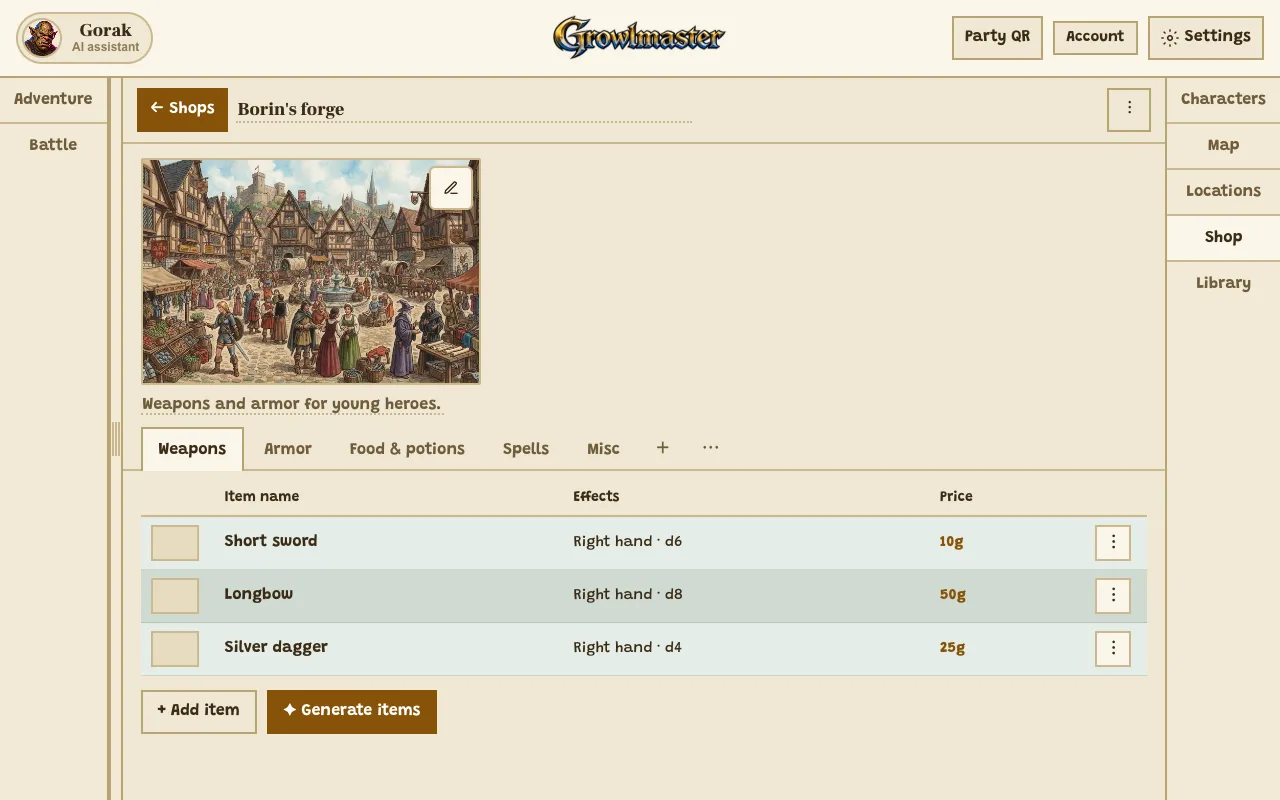
Where to press
- Generate items: fill the shelf with new things to buy.
- Add item: put your own item on the shelf.
- The shop picture: upload or generate it.
What you can do here
- Keep several shops, each with its own shelves and categories.
- Set prices in gold, silver and copper.
- Review generated items before they go on the shelf.
Use it when
- The party gets paid and wants to go shopping right now.
- You want a magic item that feels special without inventing it on the spot.
Library: save it once, use it forever
Templates that follow you to every game: foes, spells, items, special abilities and objects.
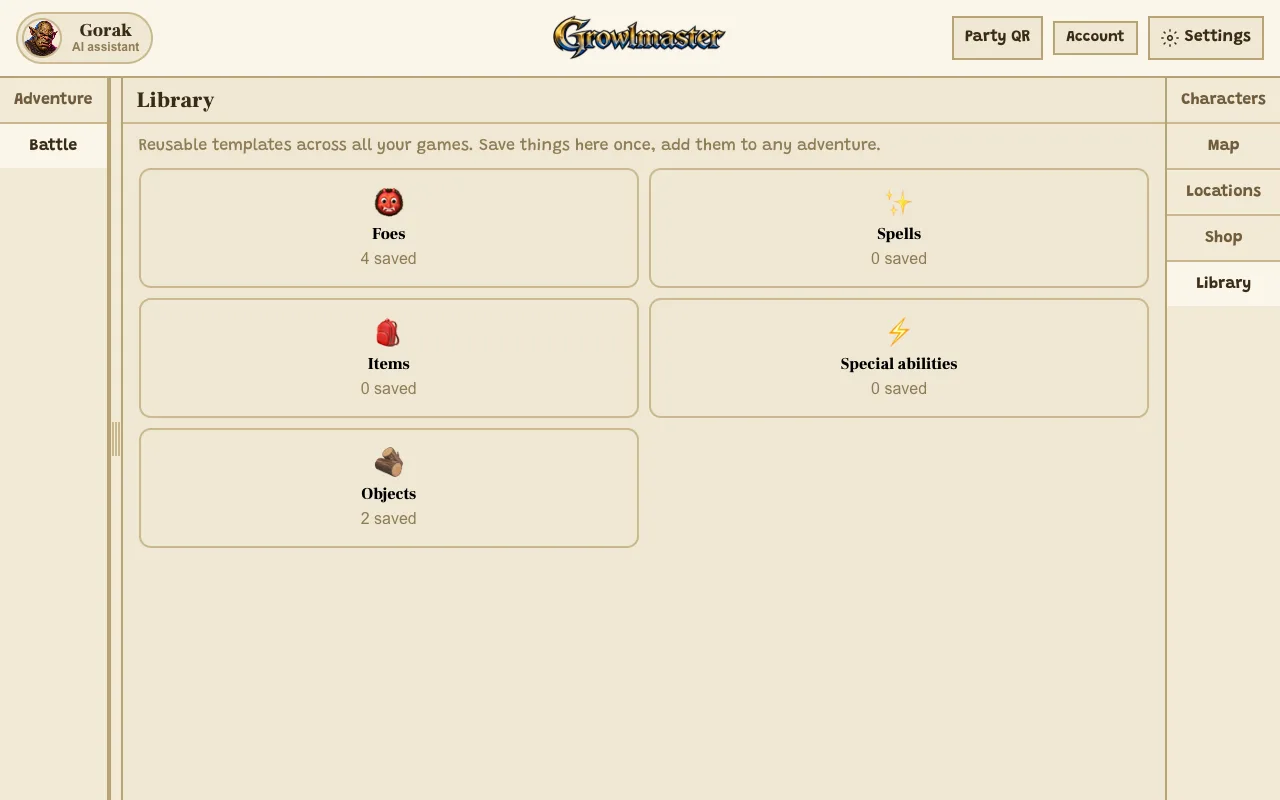
Where to press
- Foes: every monster you have saved.
- Objects: saved scenery, ready to place on a board.
What you can do here
- Save any foe, spell, item or object and reuse it in a new adventure.
- Edit a template once and keep using it.
Use it when
- The goblin boss was a hit and you want him back next campaign.
- You are building a second adventure and do not want to start from zero.
Party view: the table on every phone
A code your players scan to watch the board on their own phones. They see it, only you change it.
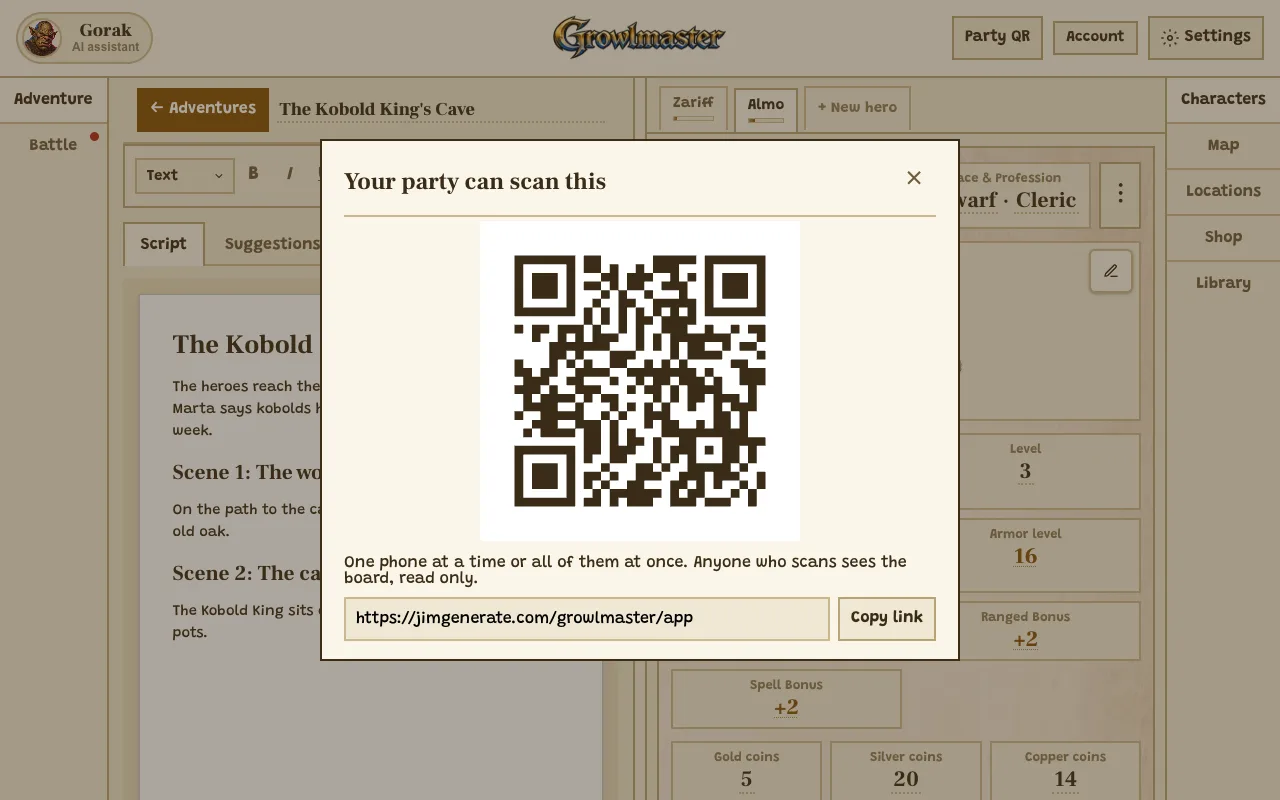
Where to press
- The code: players scan it with their phone camera.
- Copy link: send it in a chat instead.
What you can do here
- Let one phone or all of them follow the game.
- Keep control: the party view is read only.
Use it when
- Everyone is crowding around your laptop to see the board.
- You play over a video call and want the board on everyone's screen.
Meet Gorak, your AI dungeon master helper
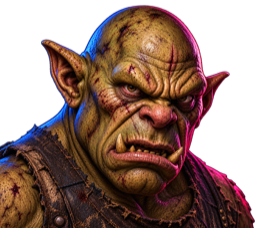
Yes, my lord
Gorak is an ogre. Few words, deeply loyal, always calls you "my lord." He sits beside your table and helps with the part that actually scares new DMs: what happens next.
- Stuck mid-session? Ask him for a twist, a monster or an NPC and drop it straight into the game.
- He reads your adventure, your heroes and your battle, so his ideas fit the story you are already telling.
- He keeps it age-appropriate. No gore, no horror, no content a nine-year-old should not be reading.
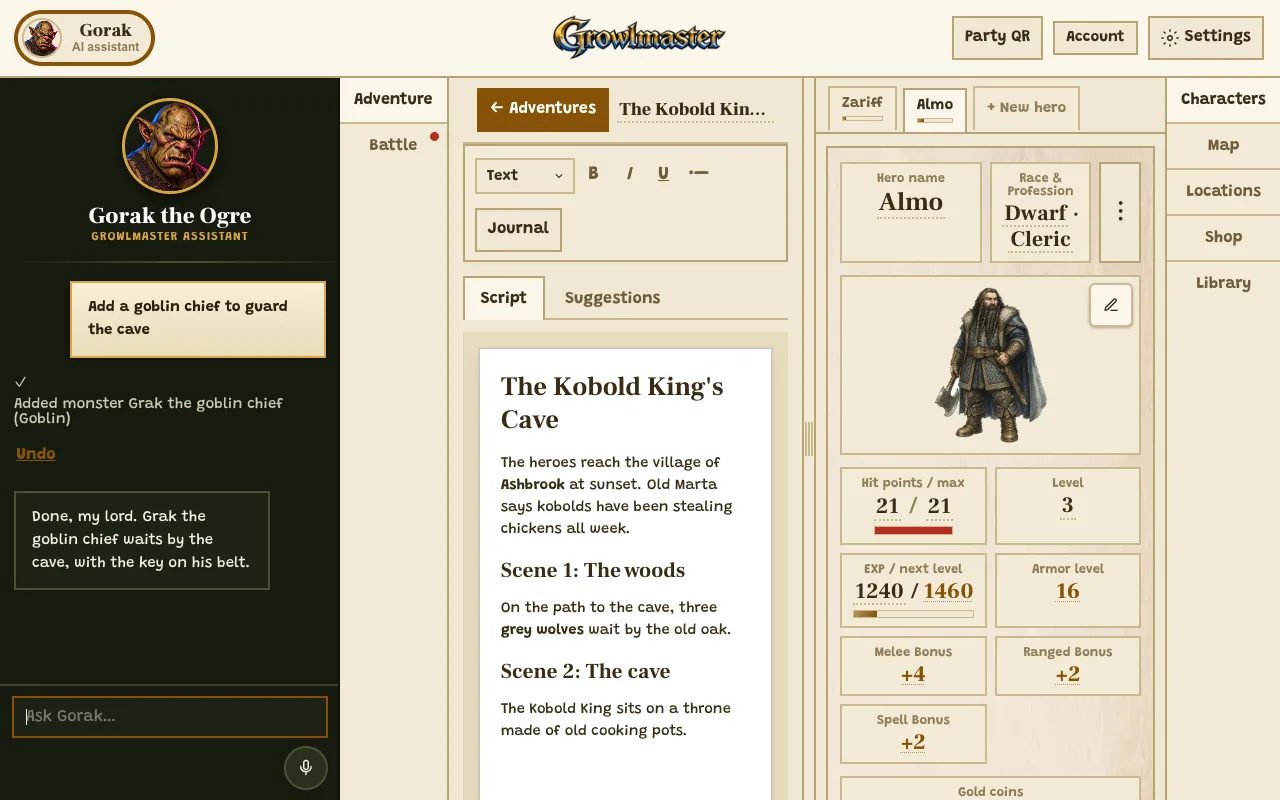
Where to press
- Gorak: open or close his panel from the top corner, on any page.
- Tell him what you need, typed or spoken with the microphone.
What Gorak can do for you
Build the table
Heroes, foes, shops, items, places and whole maps, each from one sentence.
"Make three goblins for a forest ambush."
Run the game with you
He changes hit points, hands out EXP and gold, levels heroes up and places objects on the battle board.
"Give everyone 50 EXP and Bramble 10 gold."
Keep the story moving
Ideas for the next scene, journal entries, choices and links inside your adventure.
"The kids let the kobold go. What happens next?"
Paint the pictures
Portraits, foes, shop fronts and battle maps, and he can turn your hand-drawn sketch into a painted map.
"Turn my sketch into a cave map."
Speak your language
In English, typed or said out loud. And he understands many other languages.
"Add a healing potion to Almo's bag."
Gorak and the generators need a free account. The table itself is open to browse right now.
Gorak's Suggestions
| 1d6 | What Gorak Hands You When You Go Blank … |
|---|---|
| 1 | A goblin who only wants his stolen soup pot back. |
| 2 | The bridge is fine. The troll under it is asleep, snoring in rhythm. |
| 3 | A door that opens only for someone who tells it a joke. |
| 4 | The shopkeeper's parrot has been repeating the villain's plans all week. |
| 5 | A rope bridge, a rising river, and one very slow donkey. |
| 6 | The dragon is small, embarrassed about it, and desperate to seem huge. |
At the table
The details that make it work with actual children
- Math practice built into combat
- Turn on Math practice and the game's subtraction (damage, coins, EXP) becomes a small exercise instead of a number that just changes. Your kid does the arithmetic because the dragon requires it, not because a worksheet does.
- Party view hides the DM controls
- One switch hides everything only the Dungeon Master should see. Hand the tablet across the table and the kids can look at their sheets safely without spoiling the encounter.
- Printable, in the old way
- Character sheets and the whole table print cleanly on paper. Some kids want the tablet. Some kids want a pencil, a sheet and a real set of dice. Both work.
- Their own art on every card
- Upload a drawing or a photo for a hero, a monster or the shop. A kid who drew their own half-orc barbarian is a kid who shows up for session two.
- Big targets, no tiny type
- Built to be tapped by small hands on a tablet in the middle of a loud living room, not clicked by an adult with a mouse and a quiet office.
- Many languages, both directions
- The whole table switches language, right to left included, and your existing content can be auto-translated. Rare in this space, and the reason bilingual families can run one campaign together.
How to play DnD with kids in one evening
- Make a hero each. Ten minutes. Name, race, profession, a drawing. Let them pick something ridiculous. A gnome chef is a great character.
- Give them one small problem. The baker's cat is missing. Something is eating the bridge. That is a whole first session. Write it in Adventure, or ask Gorak for one.
- Roll dice when it is interesting. Not for walking. For climbing, sneaking, convincing and swinging. Add foes in Battle, track the HP, and let them win the first one.
First Quests
| 1d6 | A First Quest for a Kids' Table … |
|---|---|
| 1 | The baker's cat is missing. It is on the roof. The roof is haunted. |
| 2 | Something is eating the bridge, one plank a night. |
| 3 | Every well in the village has gone sweet. The water tastes like honey. |
| 4 | A statue in the square moved three steps to the left overnight. |
| 5 | The blacksmith's hammer has started refusing to hit things. |
| 6 | A very polite goblin is at the gate, asking to borrow a shovel. |
What age can kids start DnD?
There is no official age rating on Dungeons & Dragons. In practice, this is roughly how it lands, and how GrowlMaster is set up for each.
| Age | What works | How to set it up |
|---|---|---|
| 4 to 6 | Pure story. Dice as a yes/no machine. | One hero each, ignore the numbers, roll high is good. Use the Map so they can see where they are. |
| 6 to 8 | The sweet spot for GrowlMaster. | Full character sheet, simple combat, a shop with coins. Turn on Math practice. Sessions of 45 minutes. |
| 9 to 12 | They can start running a game, with you at the table. | Let a kid DM a session with you beside them, using Adventure and Gorak. Add spells, resistances and a longer campaign. |
| 13+ | Ready for full 5e rules. | GrowlMaster still works as a lightweight table, or use it as a stepping stone to the real handbook. |
Questions parents ask before session one
- Is there a kids version of Dungeons & Dragons?
- There is no official kids edition, but there are simplified tables built for young players, and GrowlMaster is one of them. It keeps the shape of DnD (heroes, hit points, dice rolls, monsters, treasure, a dungeon master) and drops the rules that slow a young table down: spell slots, attacks of opportunity, conditions and multi-page stat blocks.
- Can a 5 year old play DnD?
- Yes, with the numbers turned down. At five, the game is storytelling with a die as a tiebreaker: roll high and the thing works, roll low and something funny goes wrong. Skip EXP and armor, use the map so they can see where their hero is, and keep the session to about twenty minutes.
- Is Dungeons & Dragons appropriate for kids?
- Yes. DnD is cooperative storytelling, and it is unusually good for kids: it builds reading, arithmetic, turn-taking, negotiation and improvisation. The tone is entirely up to the Dungeon Master, which is you. GrowlMaster's AI helper is instructed to keep everything it generates age-appropriate, so no horror or gore arrives by surprise.
- Do I need to know how to play DnD to run this?
- No. If you can read a bedtime story and ask "what do you do?", you can run a session. Give the party one small problem, let them try things, and roll a die when the outcome is genuinely uncertain. Gorak will hand you a twist whenever you go blank.
- Do I need dice, books or a starter set?
- No. GrowlMaster runs in a browser and rolls for you. If you already own a set of dice, use them, kids strongly prefer real ones. You do not need the Player's Handbook or a starter set to begin.
- Do we need an account?
- Not to open the table and explore it. The account is free and starts with 150 credits, which run the AI helper and the monster, shop and adventure generators. It also saves your campaign across devices.
- Can we play in Hebrew?
- Yes. GrowlMaster runs fully in Hebrew, right to left, including the AI helper's voice. There is also an auto-translate pass that converts a table you already built into the other language, so a bilingual family can share one campaign.
- How long is a session with kids?
- Thirty to sixty minutes for ages six to nine, up to two hours for older kids. Stop while they still want more. That is the single best trick for getting a session two.
- What DM tools does GrowlMaster include?
- Kid-friendly character sheets, a battle tracker with a monster generator, an adventure writer with a journal, a grid map you draw on, and a town shop with real coins. Gorak, the AI helper, works across all of them. Everything runs in the browser with nothing to install.
Your kid wants to fight a dragon this week
Open the table, make a hero, and give them something small to save. The first session takes twenty minutes of your evening and they will talk about it for a month.
Enter GrowlMaster Works in any browser. Nothing to install. The account is free and starts with 150 credits.
Growls
Create
Pick what to make. It goes into My Library, ready to use at any table.
- D&D Character Sheet and Character Creator Make a hero yourself or generate one, then print it or take it into GrowlMaster
- DnD Monster Maker Make a monster yourself or generate one, then print it or take it into GrowlMaster
- D&D NPC Generator Make an NPC yourself or generate one, then print it or take it into GrowlMaster
- D&D Magic Item Generator Make a magic item yourself, then print it or take it into GrowlMaster
- D&D Spell Generator Make a spell yourself, then print it or take it into GrowlMaster
- D&D Shop Generator Make a shop yourself or generate one, then print it or take it into GrowlMaster
- D&D Town Generator Make a town or place yourself, then print it or take it into GrowlMaster
?
Get 150 credits with a free account
No growls yet.
Nothing saved yet.
Players
- Y YouGrowlMaster
To add more players to your account you'll have to log in first.